
If your event page continues to appear in Google Search after it is no longer relevant, don't worry—we're here to help. The following solution can be used to remove outdated event pages, cancelled events, or any content that should no longer be discoverable through Google Search.
OPTION 1
Update your Event from Published to Draft
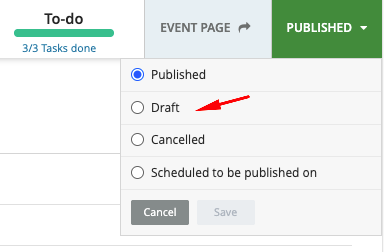
For this option, it may still take some time for Google to recrawl the page and for its search ranking and visibility to gradually phase out.
OPTION 2
Using Google Search Console and Google Tag Manager (GTM).
Who Can Perform This Process?
This process can be completed by:
- The Gevme team (if we have access to the event's GTM configuration)
- Event organisers or clients who manage their own Google Tag Manager setup
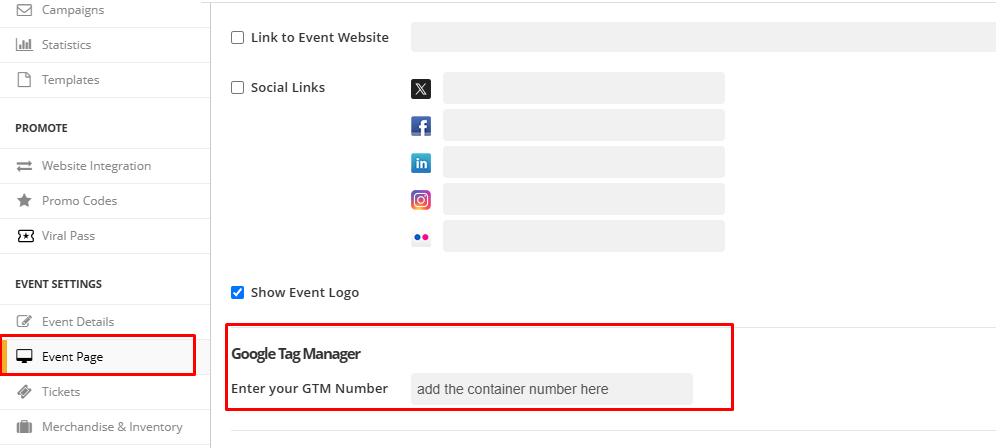
Step 1: Insert your Google Tag Manager in Gevme
Before accessing Google Search Console, ensure that a Google Tag Manager (GTM) container has been configured for your event page.
Navigate to GEVME Event → Event Page → Google Tag Manager and verify that a valid GTM Container ID (e.g., GTM-XXXXXXX) has been added.
Step 2: Submit a URL Removal Request
The first step is to initiate a removal request through Google's URL Removal Tool.
A. Access the Google URL Removal Tool
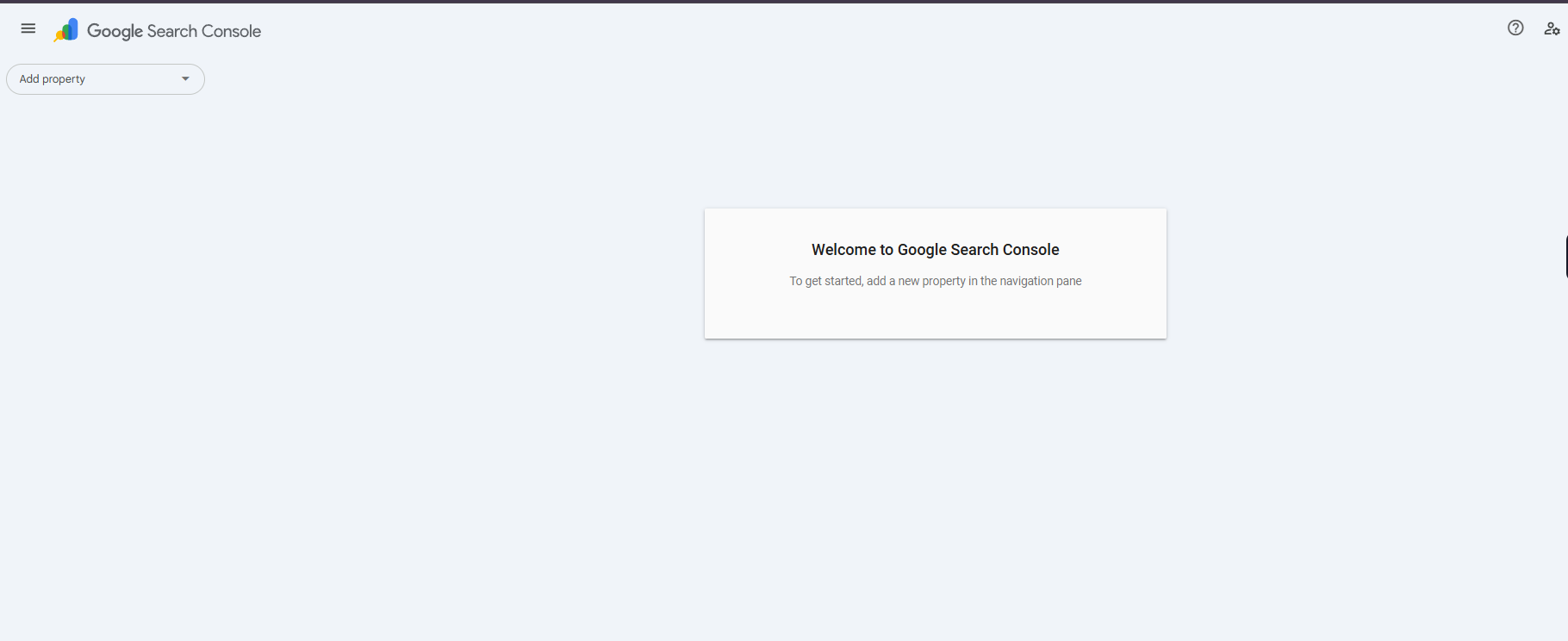
Open the Google URL Removal Tool using the following link: Google URL Removal
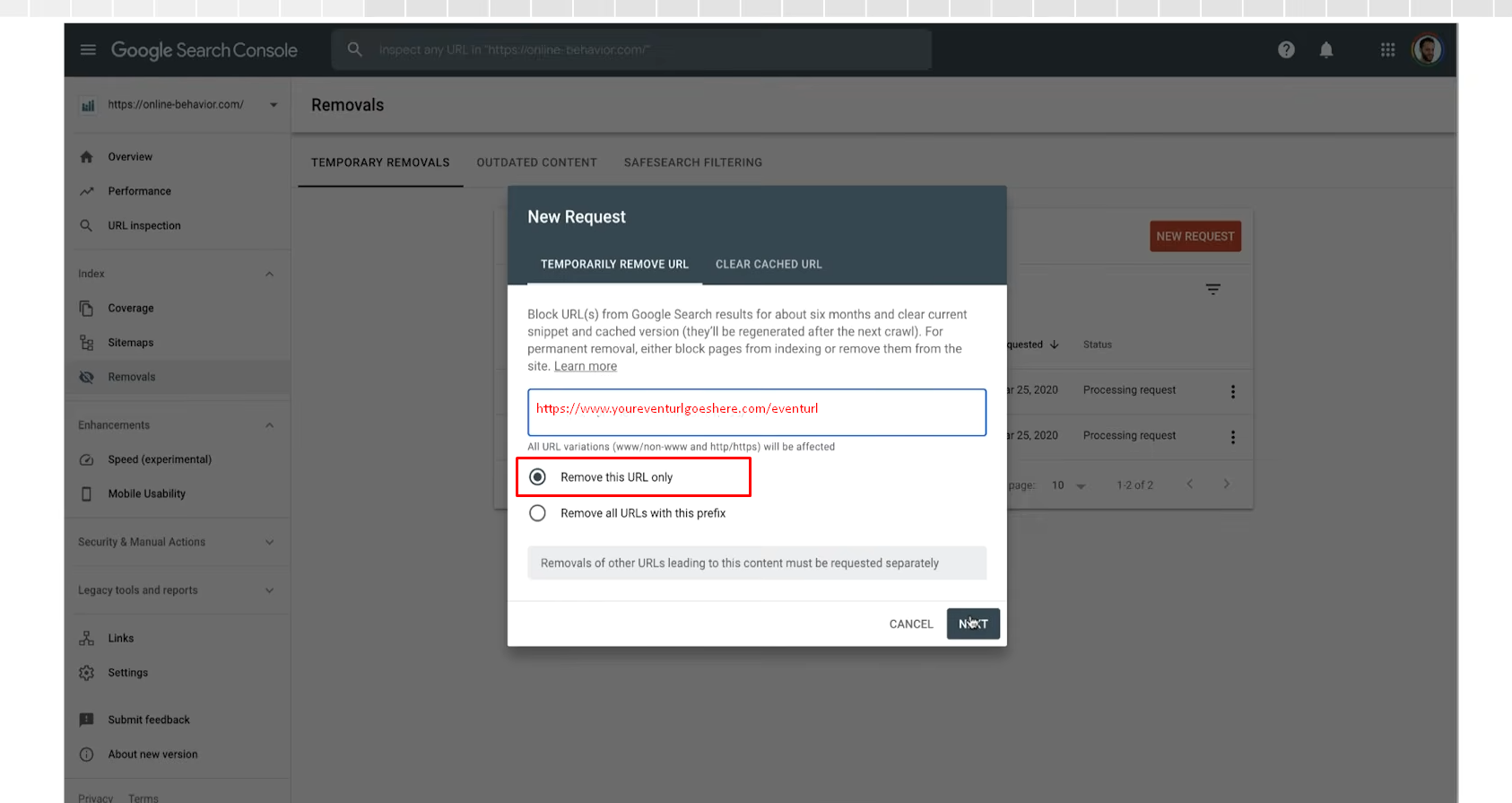
B. Enter the URL to Remove
Once inside the tool:
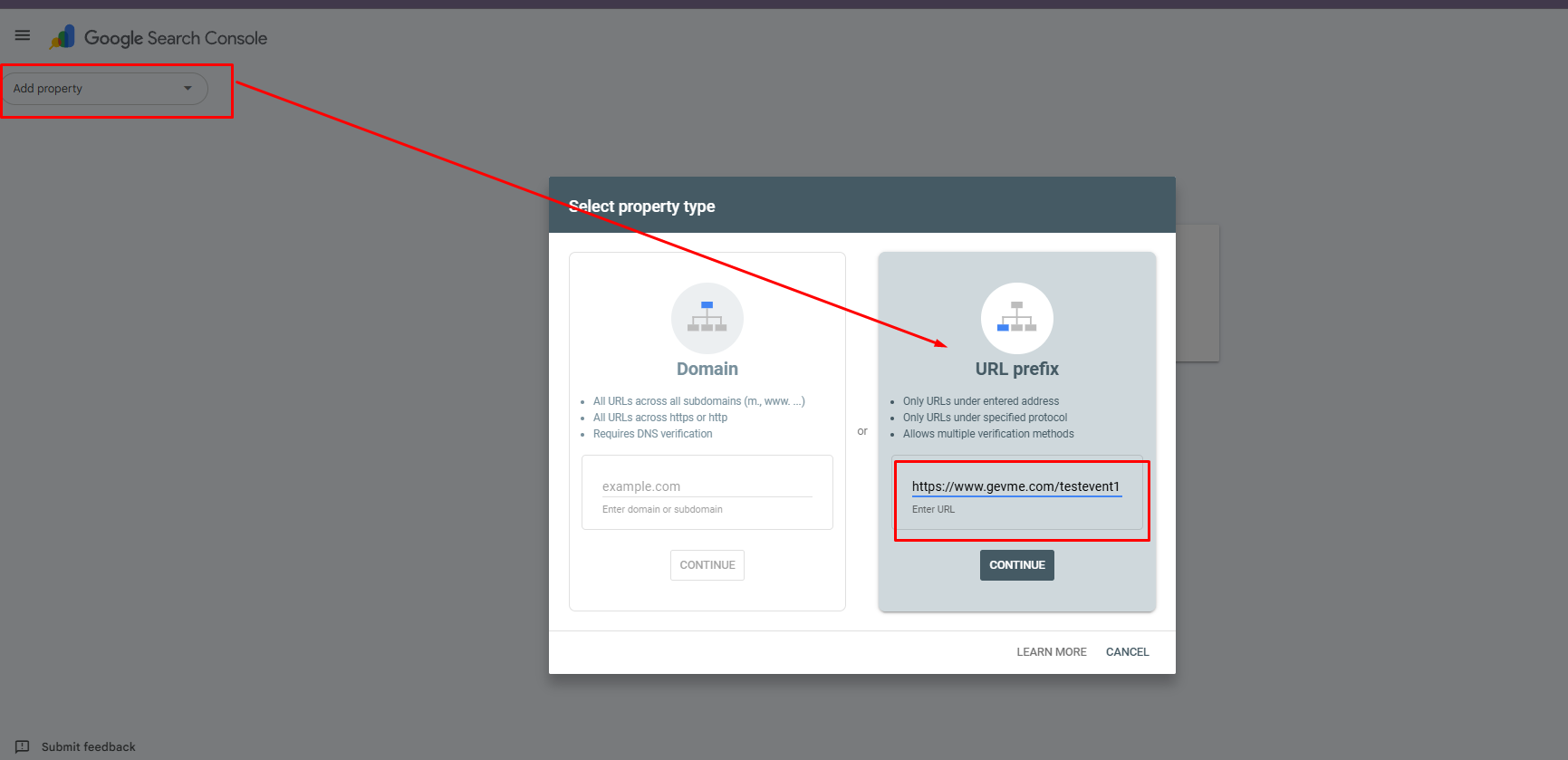
- Select the appropriate property.
- Enter the full URL of the event landing page you want removed from Google Search.
- Continue to the next step.
Step 3: Submit the Removal Request
After ownership has been verified, you can complete the removal process.
A. Finalise the Request
- Return to the Google URL Removal Tool.
- Enter the event URL you want removed.
- Click Next.
- Review the information provided.
- Click Submit Request.
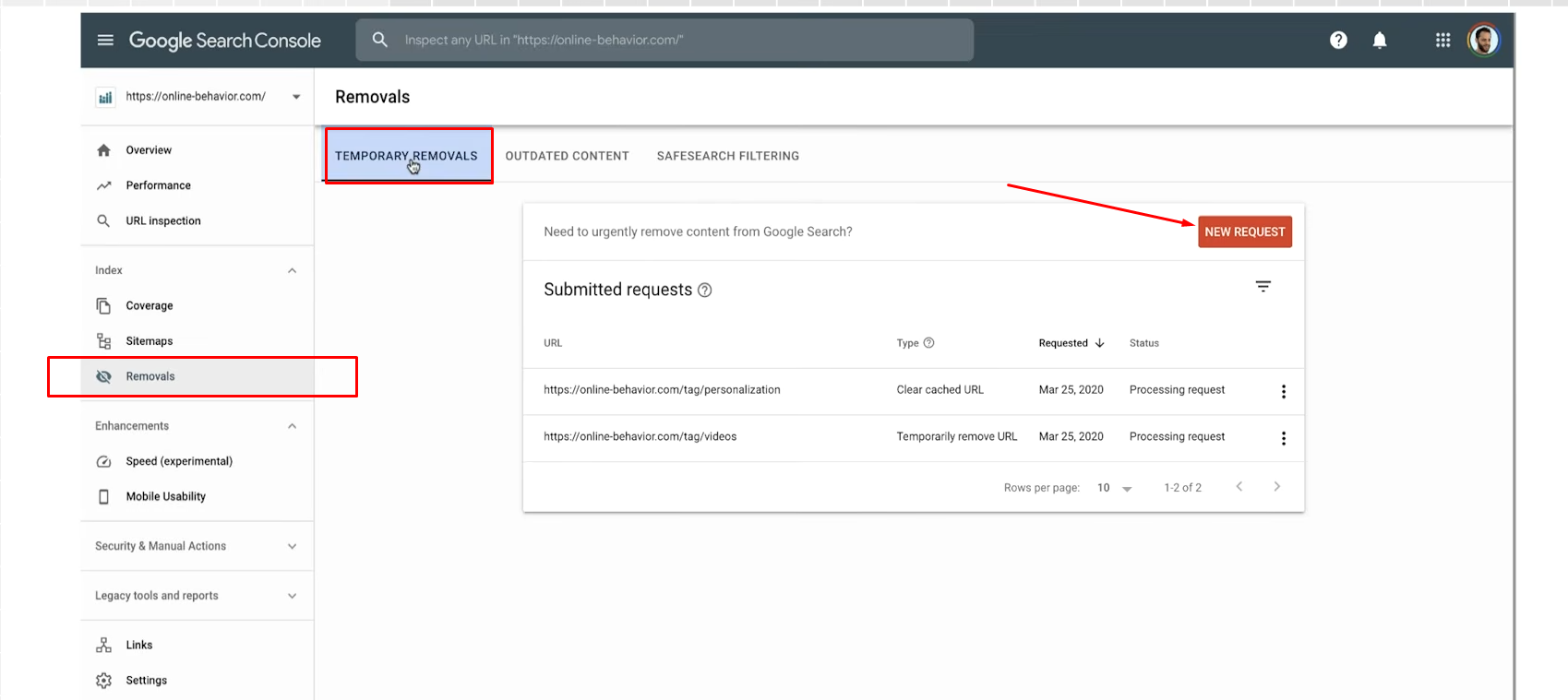
Add the event URL you wish to remove from Google search as shown below and click on NEXT. On the next page, click on “Submit Request”
Important Things to Know
Temporary Removal Lasts Approximately Six Months
A successful removal request only hides the URL from Google Search temporarily. After approximately six months, the page may become visible in search results again unless additional actions are taken.
Removal Does Not Stop Google From Crawling the Page
Requesting a temporary removal only prevents the page from appearing in search results. Google may continue to crawl and index the page if it remains accessible.
To prevent the page from reappearing, consider implementing one of the following permanent solutions:
- Add a noindex tag to the page
- Remove the page entirely
- Restrict access using password protection
Unreachable Pages Are Treated Differently
If Google cannot access the URL at the time of the request (for example, due to a 404, 502, or 503 response), Google may assume the page has been permanently removed.
If content is later published again at the same URL, Google may treat it as a new page and include it in search results.
Need Additional Help?
Using Google Tag Manager together with Google Search Console provides a fast and reliable way to remove unwanted event pages from Google Search.
For more information and troubleshooting guidance, refer to Google's official documentation: Google Webmasters Reference Link
If you need assistance with GTM configuration or ownership verification, please contact us at cs@gevme.com. We're happy to help ensure your URL removal request is completed successfully.