
Overview
The Cancel Registration feature allows attendees to cancel their event registration directly from their registration confirmation email, without needing to contact the event organiser.
This self-service option gives attendees more flexibility while helping organisers reduce manual support requests.
Important
Cancelling a registration does not automatically guarantee a refund. Refunds are subject to the event organiser’s refund policy.
Enable the Feature
Event organisers must enable attendee cancellation before the link appears in confirmation emails.
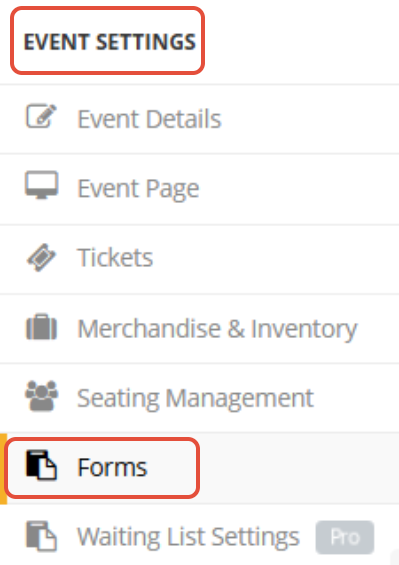
- Go to Event Settings → Forms
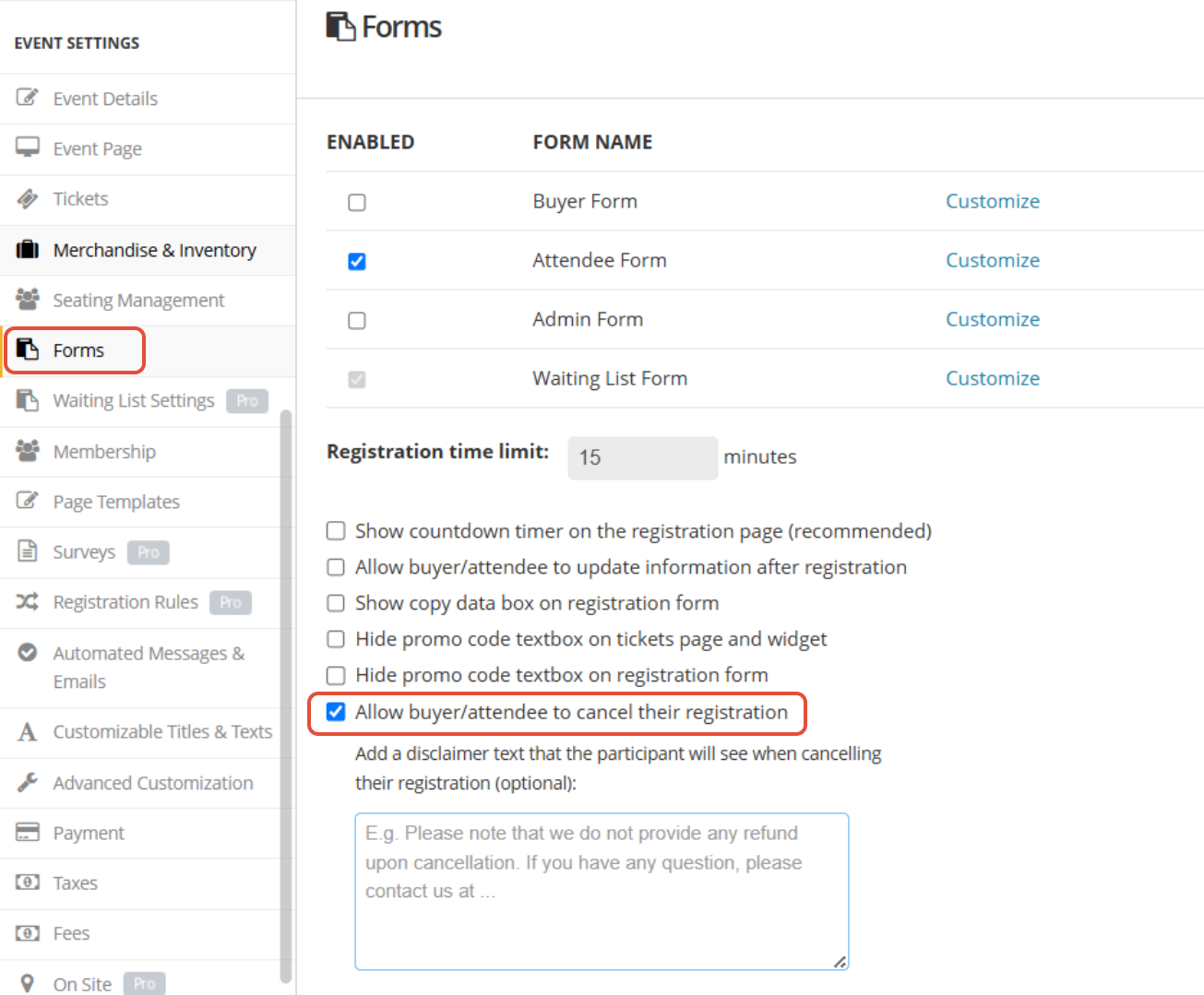
- Enable Allow buyer/attendee to cancel their registration.
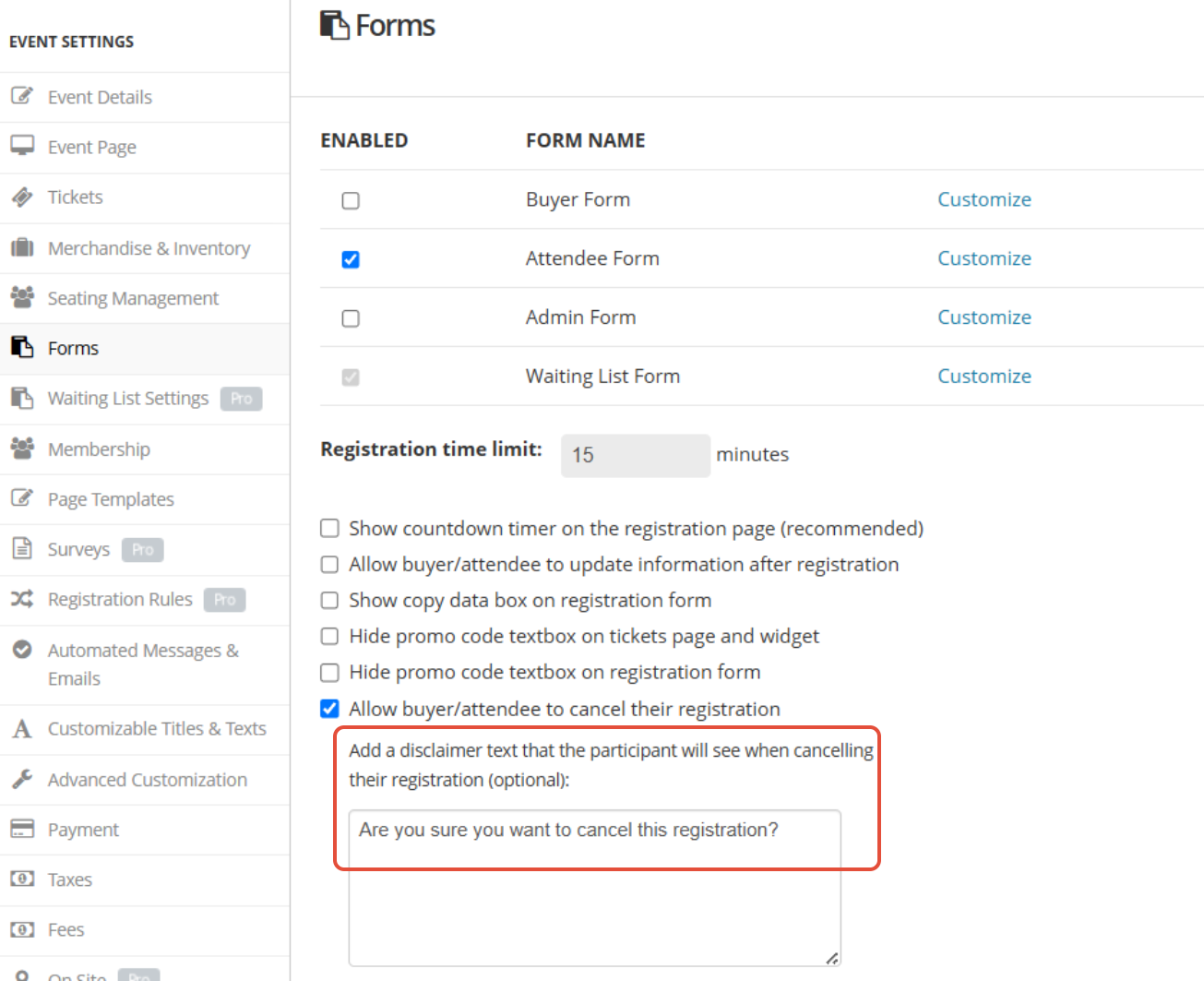
- (Optional) Enter a Disclaimer Message to display before attendees confirm the cancellation.
Once enabled, attendees will see a Cancel Registration link in their registration confirmation email.
Attendee Journey
Step 1: Complete Your Registration
- Register for the event and complete the payment (if any).
- After a successful registration, you will receive a Registration Confirmation email.
Step 2: Open the Confirmation Email
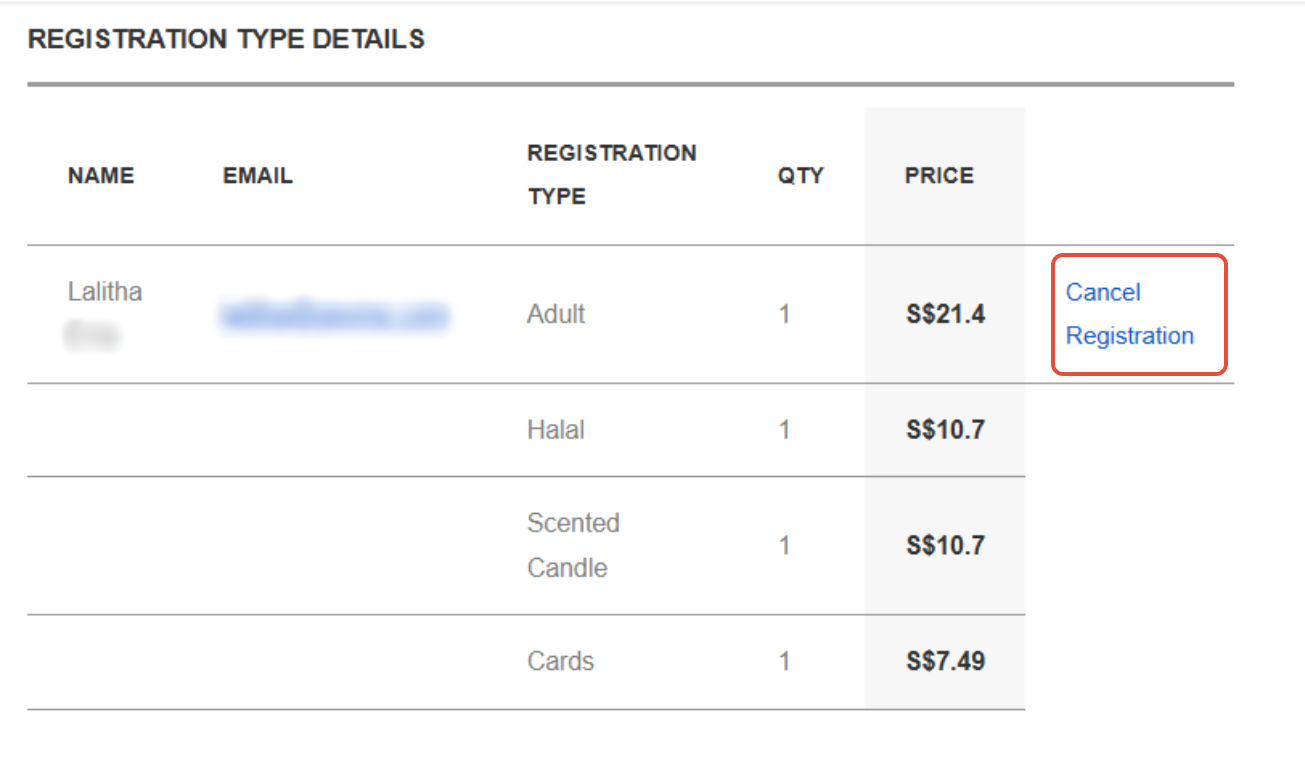
- Open the confirmation email and locate the Registration Type Details section.
- If attendee cancellation is enabled, click Cancel Registration.
Step 3: Review Your Registration Details
- You will be redirected to the cancellation page, which displays:
Attendee information
Ticket ID
Order ID
Review the information and click the Cancel Registration button.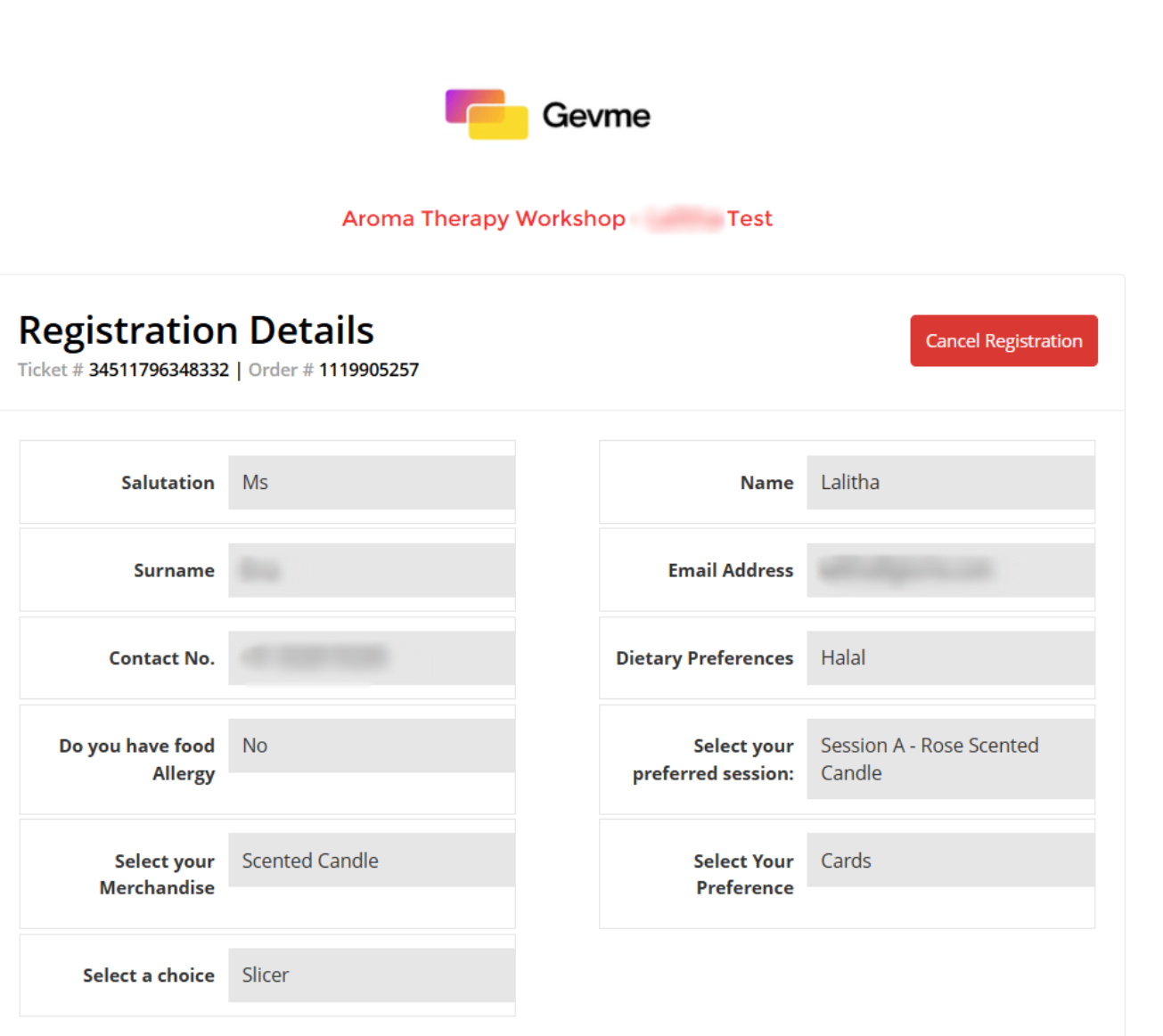
Step 4: Confirm the Cancellation
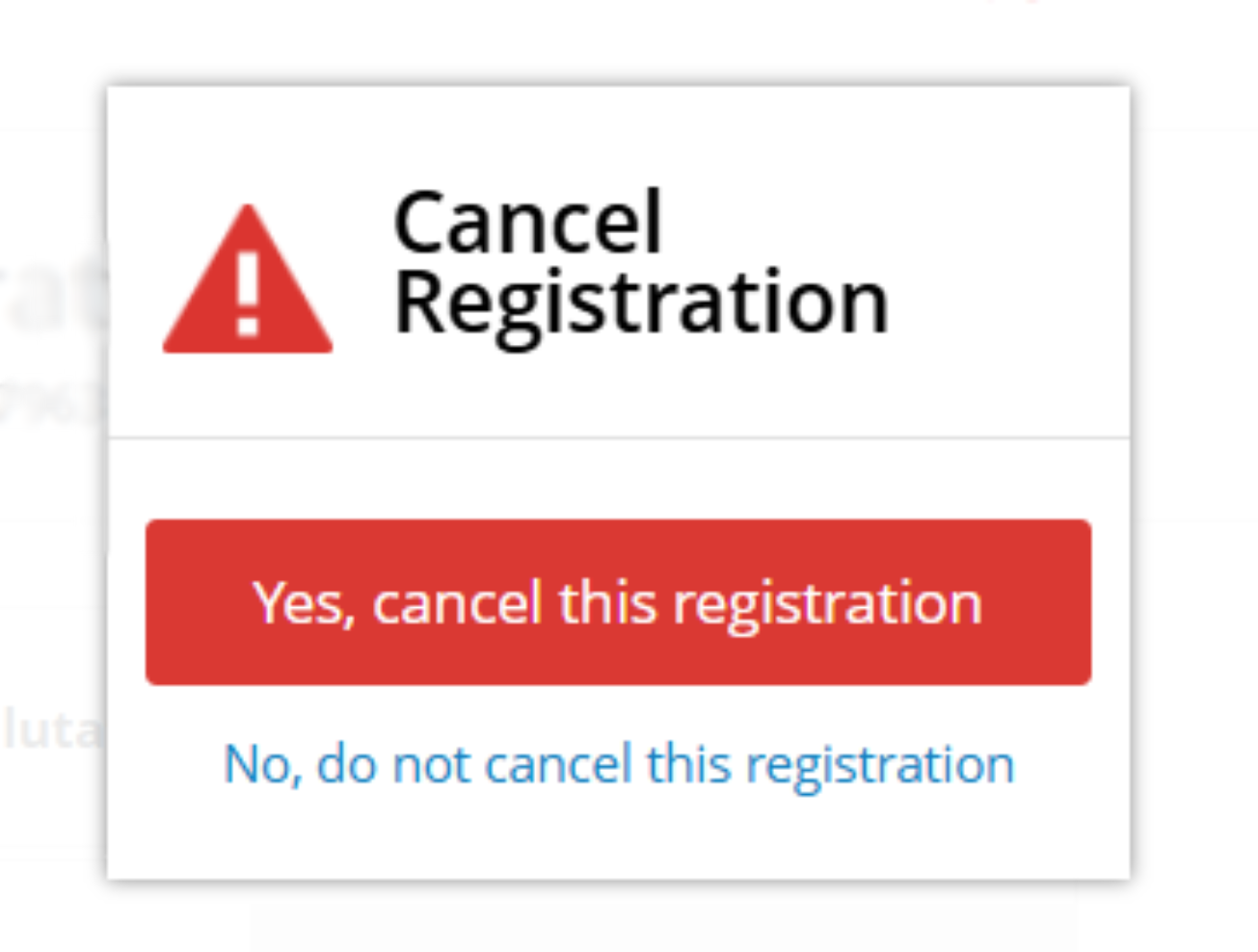
- A confirmation dialog will appear.
- If the organiser has added a disclaimer, it will be displayed here.
- You can choose:
Yes, cancel this registration — Cancels your registration.
No, do not cancel this registration — Keeps your registration active.
- Click Cancel Registration to proceed.
Step 5: Registration Successfully Cancelled
After confirmation, a success message will be displayed: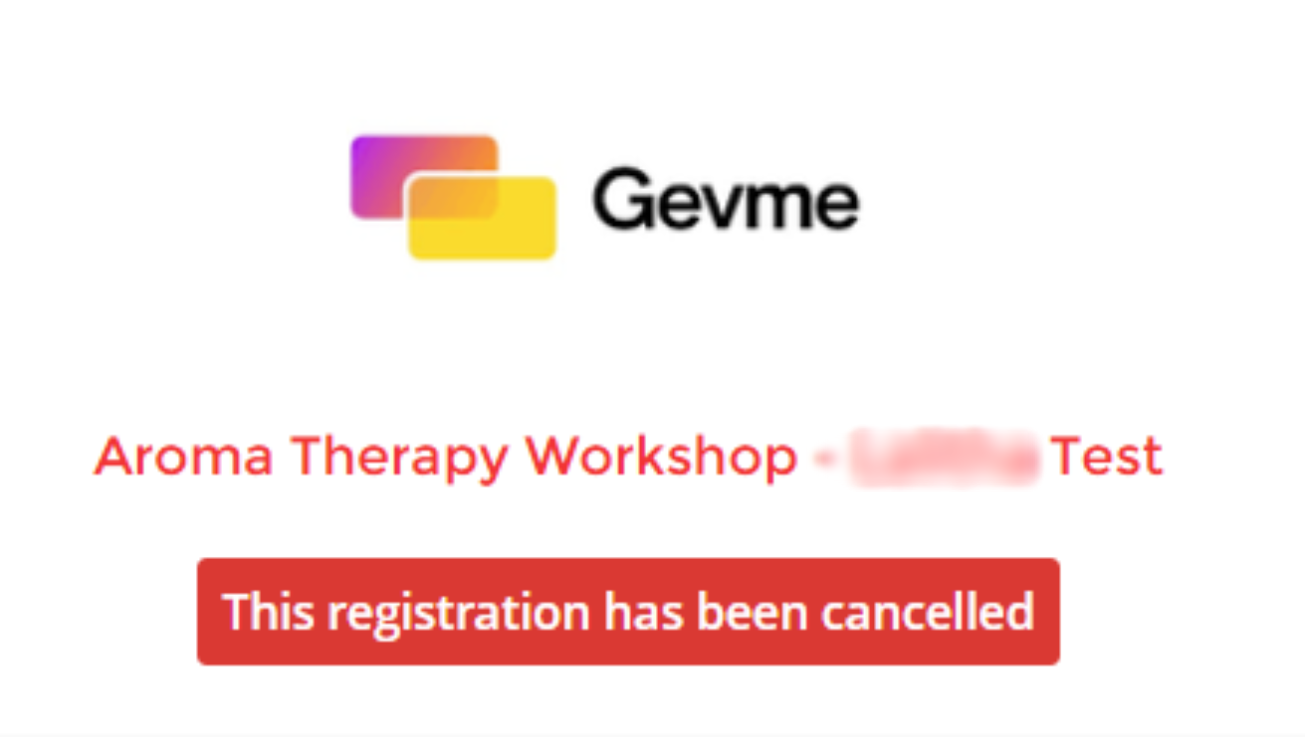
Frequently Asked Questions
I can't find the Cancel Registration link in my confirmation email.
The event organiser may not have enabled attendee cancellation. If the link is not available, contact the event organiser for assistance.
Will I automatically receive a refund after cancelling?
No. Cancelling your registration does not automatically trigger a refund. Refund eligibility depends on the organiser’s refund policy.
Can I undo my cancellation?
No. Once the registration has been cancelled and the message “This registration has been cancelled.” is displayed, the cancellation cannot be reversed.
If you wish to attend the event again, you must register again, subject to ticket availability.