Overview
The Viral Pass feature helps event organisers increase attendance by turning attendees into promoters. By encouraging registrants to share the event on social media, Viral Pass leverages word-of-mouth marketing to drive more awareness and registrations - organically and effectively.
How the Feature Works
Viral Pass is seamlessly integrated into Gevme Registration, making it easy to add to your event setup.
Once enabled at the organisation level, admins can create referral campaigns that automatically generate Viral Pass promo codes when an eligible ticket is purchased. These promo codes can be shared by attendees, and when used, the system tracks referrals, processes refunds (automatically or manually), and notifies referrers via email.
The feature includes built-in referral tracking, refund automation, and enhanced reporting to help organisers monitor campaign performance.
Important Note:
To enable this feature, the payment method have to be Stripe Checkout or Stripe Connect.
Key Features
- Automatic generation of Viral Pass Promo codes for eligible registrations
- Referral campaign tracking system
- Automatic and manual refund transaction options
- Email notifications sent to referrers when their promo code is used
- Enhanced Promotions table with additional tracking columns
Benefits for Event Organisers
- Increase event attendance through attendee-driven promotion
- Measure and analyze referral campaign performance
- Automate refund transactions tied to Viral Pass incentives
- Boost attendee engagement and loyalty through rewards
Enable Viral Pass
Viral Pass is an add-on feature. To enable it for your organisation, please contact:
- Support: cs@gevme.com
- Your Gevme Account Manager or sales@gevme.com
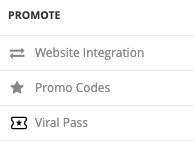
Once enabled, navigate to Promote → Viral Pass and toggle the module on.
How to Set it Up
A. Basic Settings:
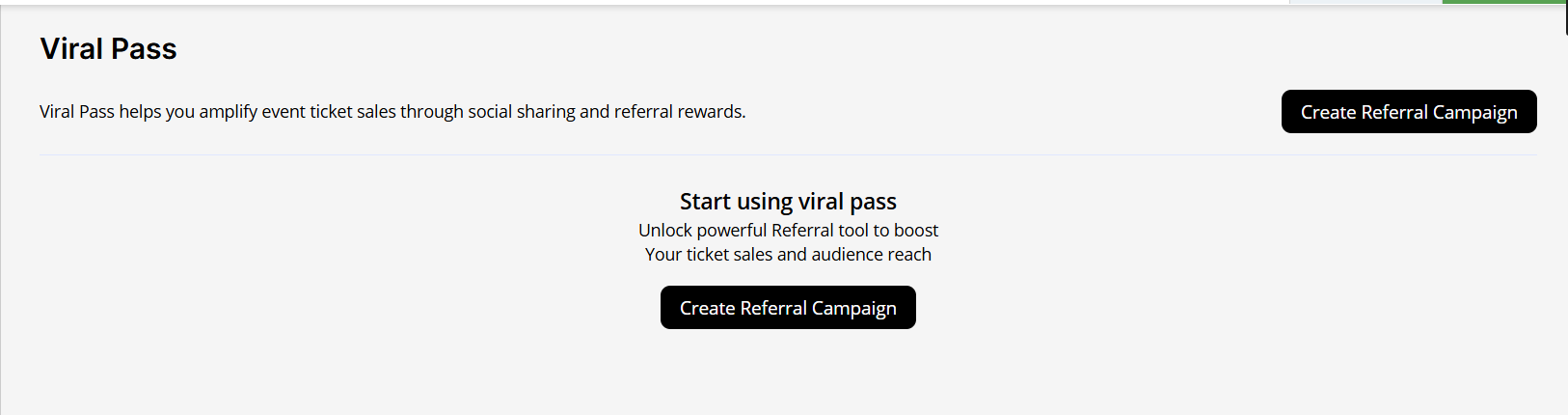
- Navigate to the Viral Pass tab, and you will see an option to Create Referral Campaign:
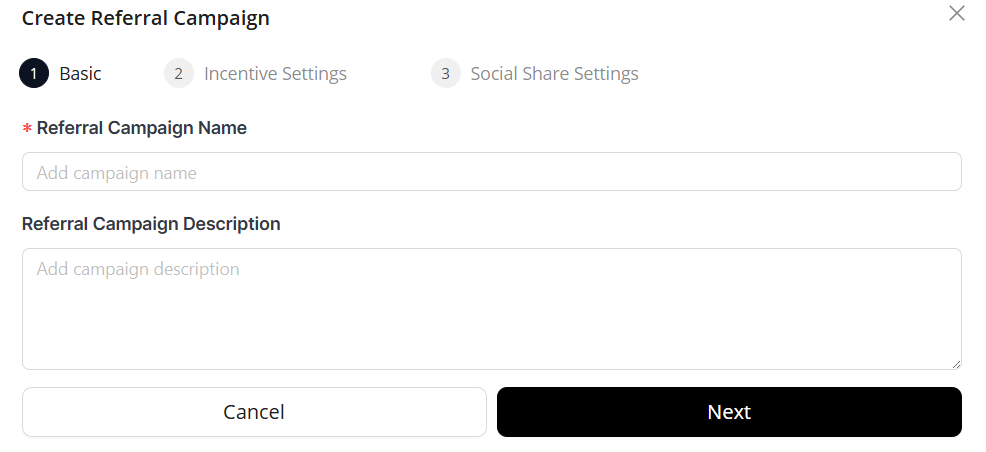
- Enter the Basic information, like the name of the Campaign and description:
B. Incentive Settings:
- Applicable Tickets
Select the ticket types that this referral campaign applies to.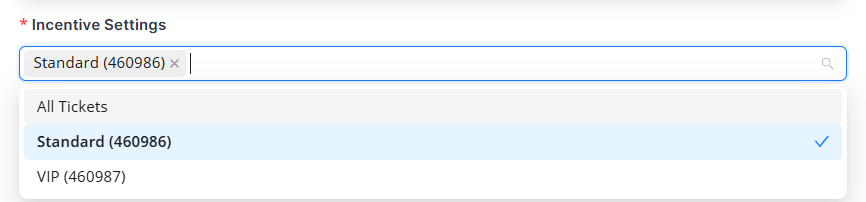
- Referrer Reward
This will determine the incentives that the referrer receive when a new attendee registers using their promo code.
Choose how the reward is calculated:
1) Percentage of Ticket Price
2) Percentage of Total Price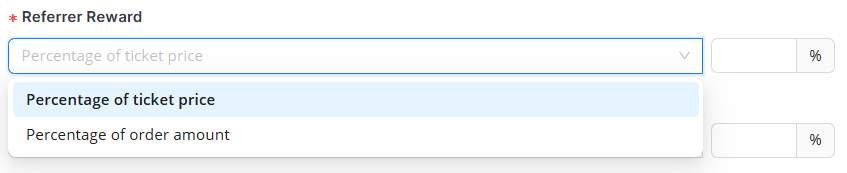
- Maximum Reward Per Referrer
This will determine the maximum incentives that the referrer receive when a new attendee registers using their promo code. i.e. 50% of their paid amount or 100% of ticket price.
Set a cap on the reward:
1) Percentage of Ticket Price
2) Percentage of Toptal Price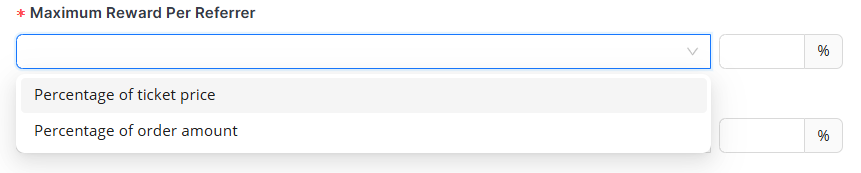
- Referred Attendee Discount
This will determine the discount percentage applied for new registration who use the referrer's promotional code.
Choose the discount applied to referred attendees:
1) Percentage of Ticket Price
2) Percentage of Toptal Price
- Payment Processors:
Viral Pass is strictly supported by the approved payment processors
- Refund Processing:
You can choose to review the Refund or set it automatic.
Choose how refunds are handled:
1) Automatic - Process immediately
2) Manual - Process upon review
C. Social Share Settings:
Customise how the referral is presented to attendees on the registration's confirmation page:
- The Text on the page.
- Default message shared with the referral code
- Social media platforms available for sharing (via checkboxes)
D. Set the Campaign Live
Once you are satisfied with the setup, you can click on the Create Referral Campaign button.
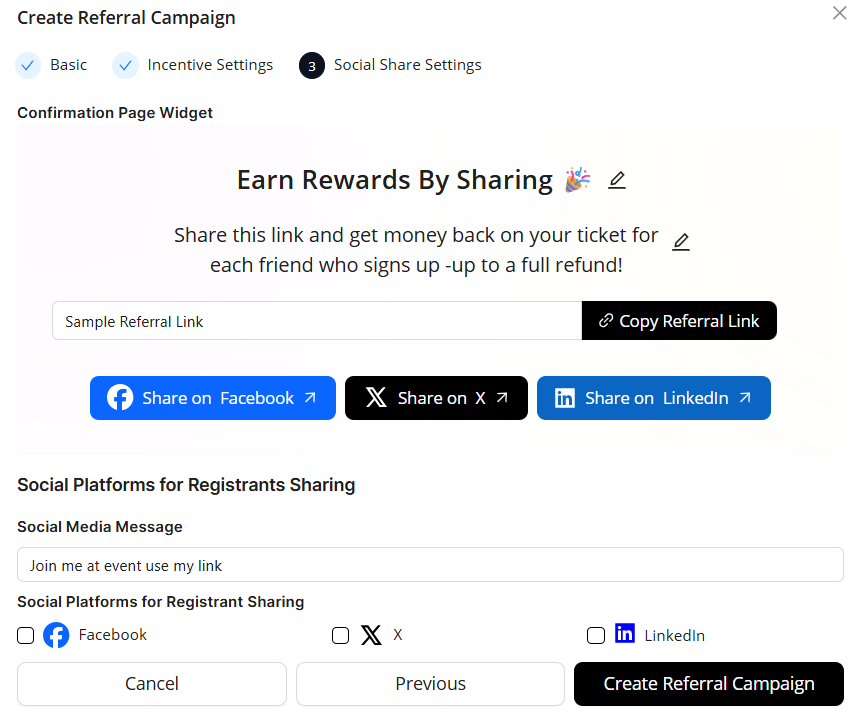
By default, the campaign will be shown on the Confirmation Page once your attendee has made full payment via Stripe Checkout or Stripe Connect.
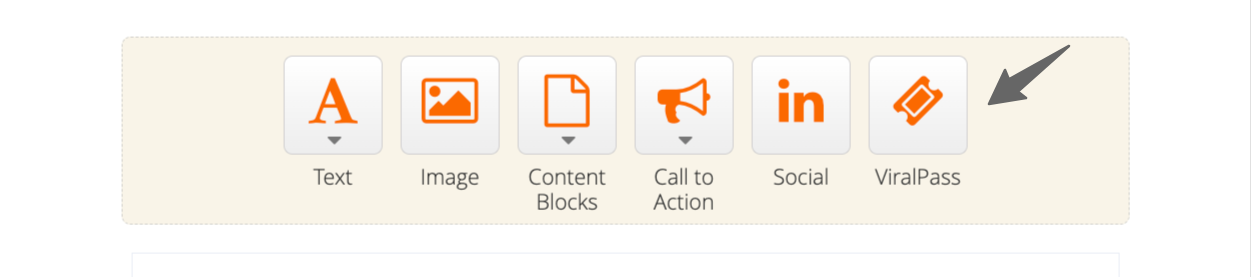
You can also promote more Sharing via Email by adding Viral Pass CTA to the relevant email body.
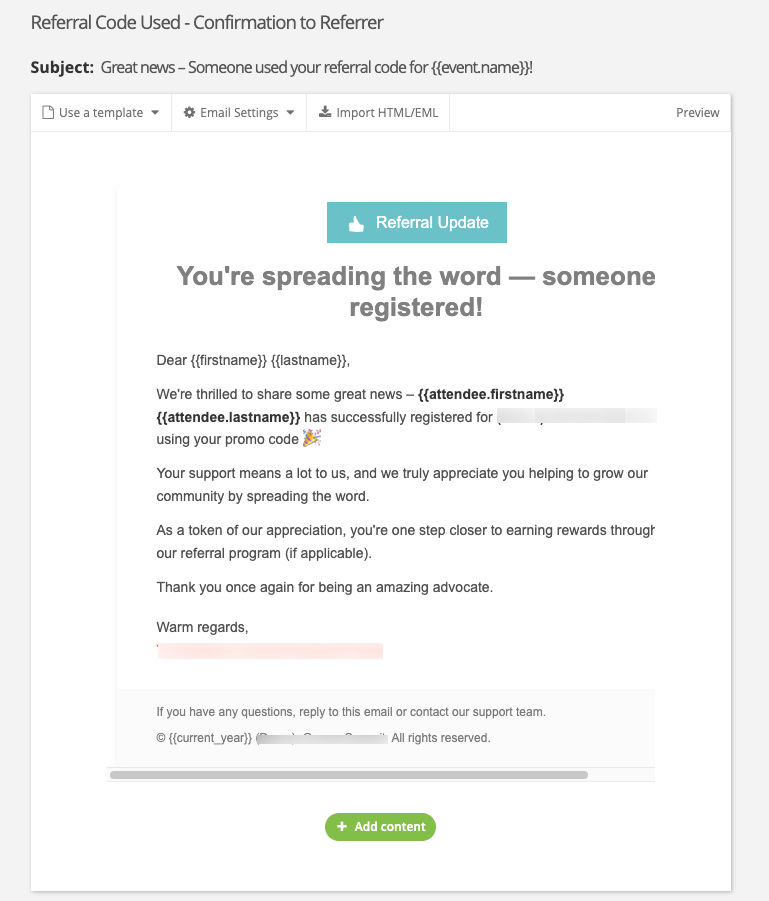
For each new registration made using the promo code and the refund was processed, the referrer will be informed of their code used. The template is editable within the System Email Template.
E. Your attendee's experience
Once you have enabled Viral Pass and allowed sharing via Email
| Start the Registration | Made Payment and Land on the Confirmation Page | Rewards Sharing highlighted via Email | Being informed when a new registration made via their promo code |
|---|---|---|---|
| The attendee fills up the Form; and Complete the Payment **Viral Pass is only applicable for Credit Card Payment via Stripe. | 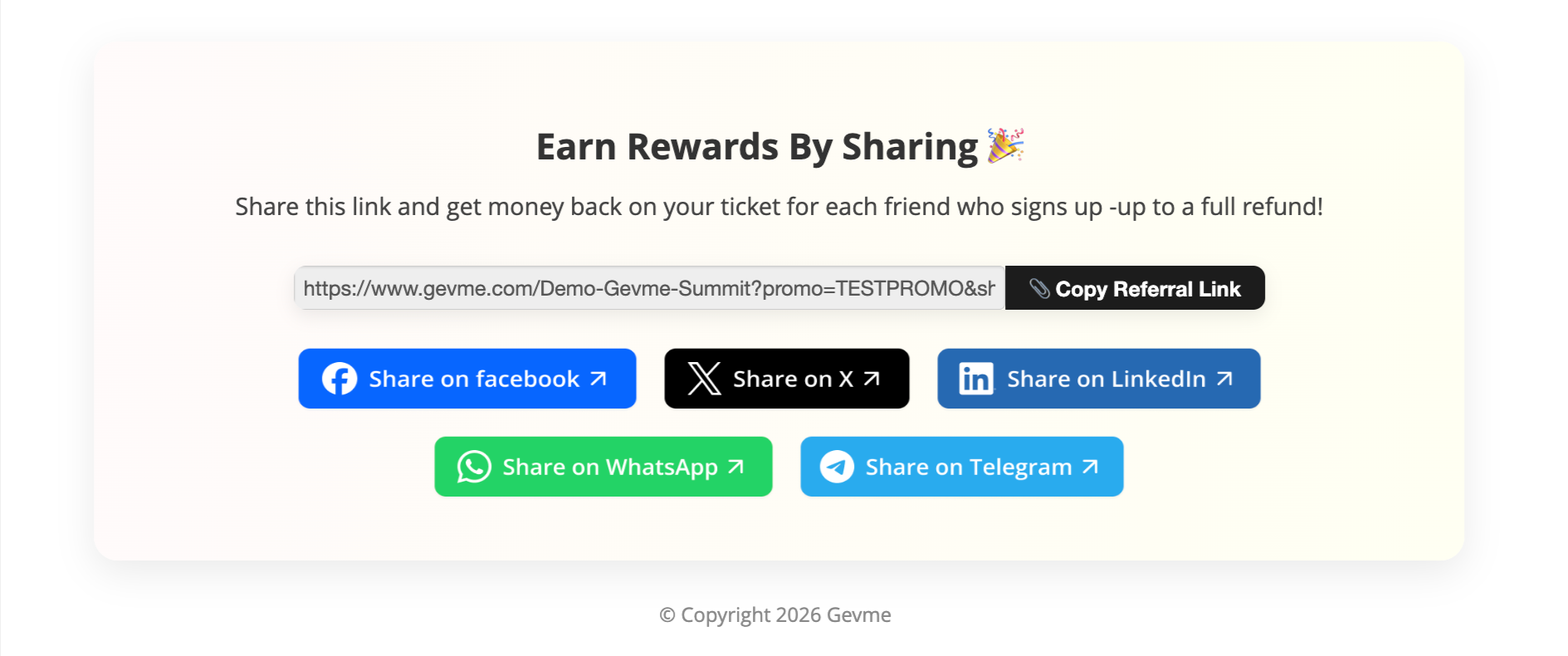 | 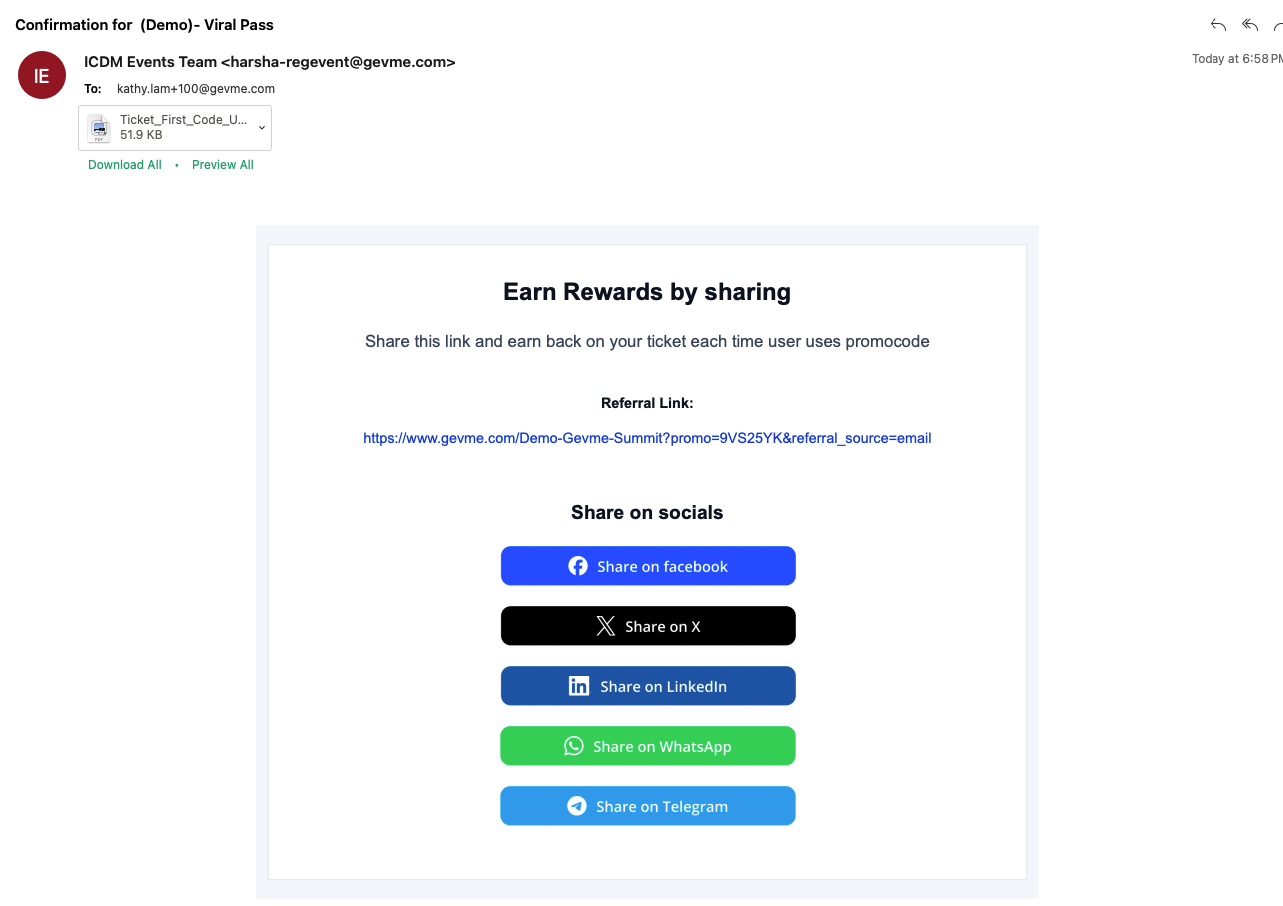 | 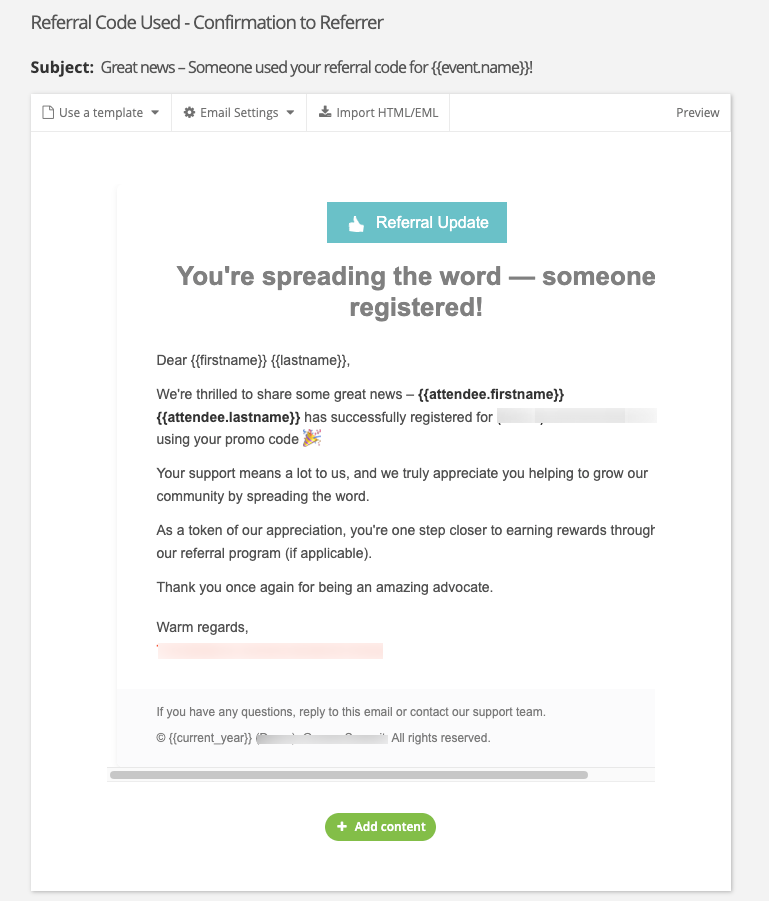 |
F. Monitor the Campaign
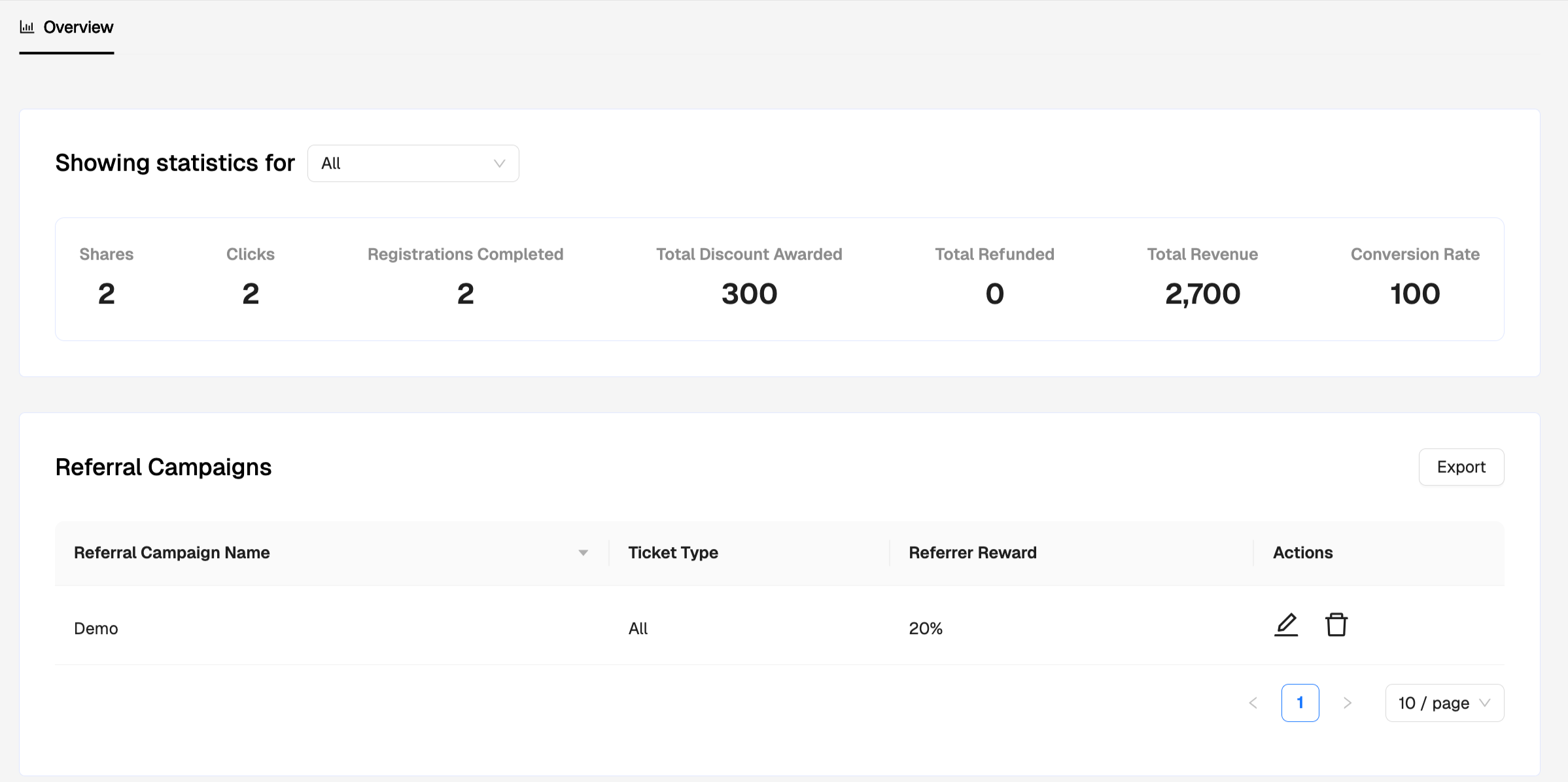
Within the Campaign Overview, you can track all Statistics to see the efficiency and conversion of Viral Pass.
During the event period, you may update/delete the campaigns in need.
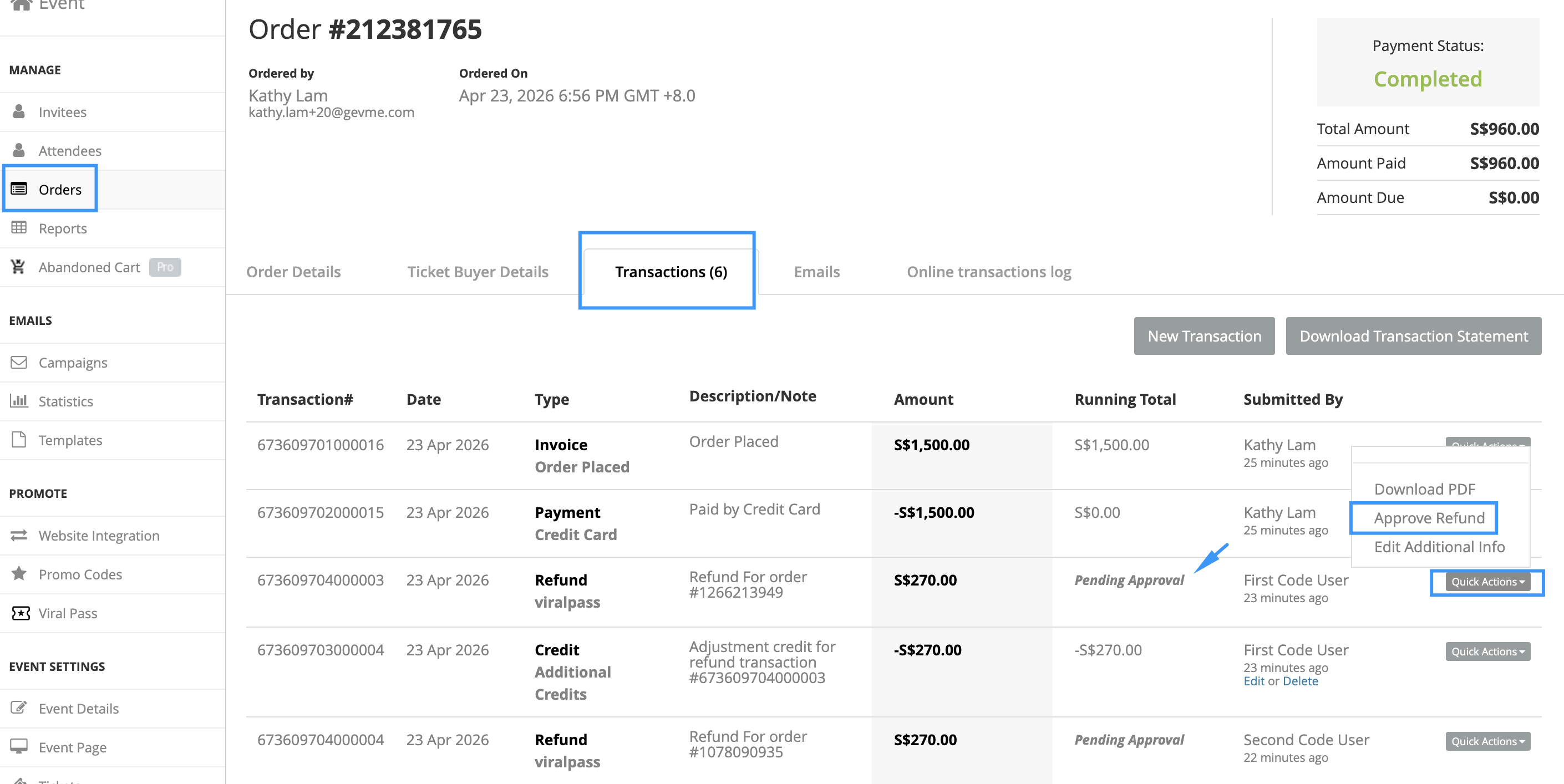
If you have chosen to approve the Refund Manual, you now can view the List of Pending Approval.
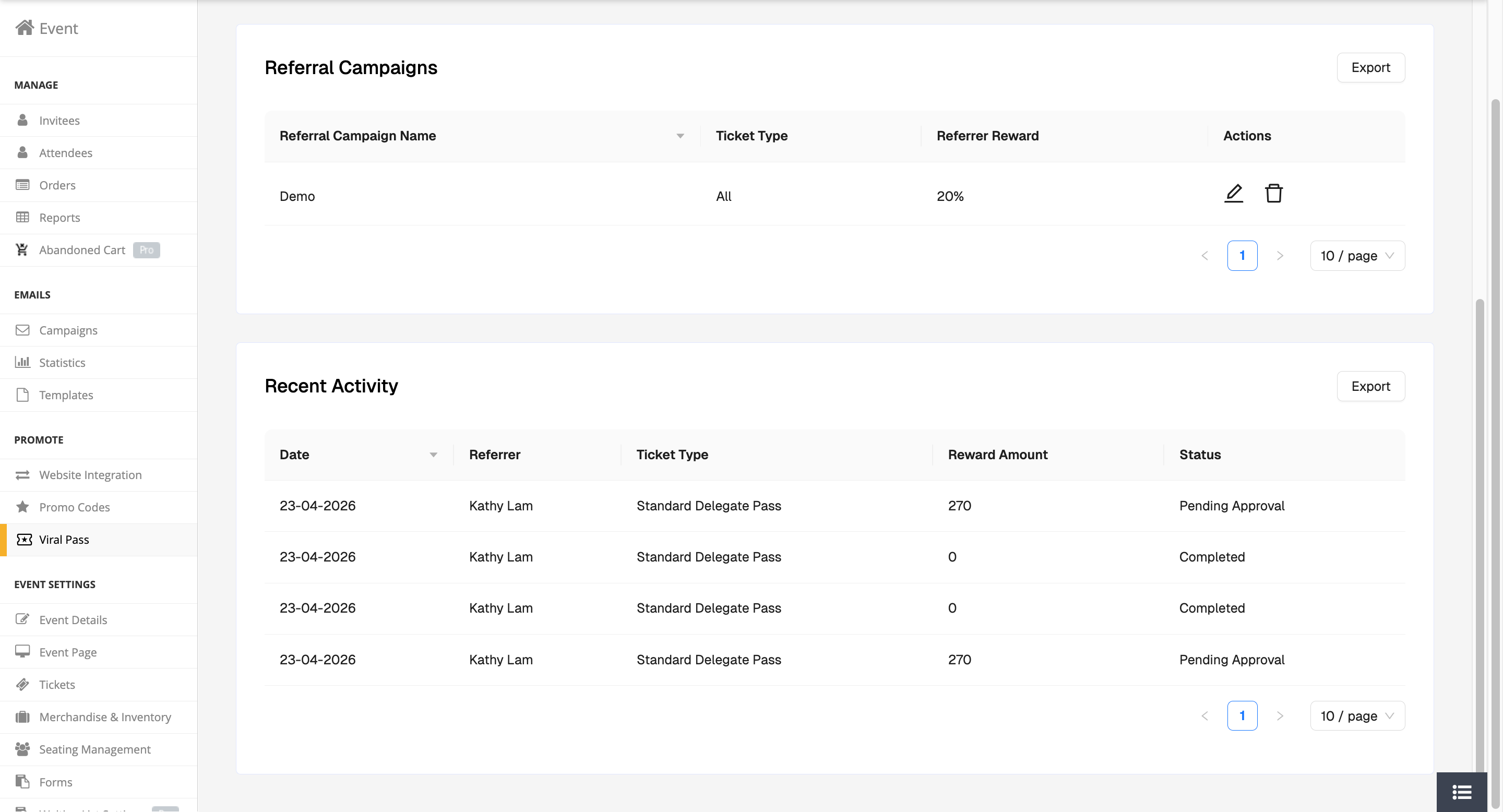
Go to the Order and Approve the Refund. This will also trigger the email to inform the referrer.