
Overview
If you have configured an event with a list of invitees and want to run a follow-up campaign for those who have not yet registered, Gevme provides two simple ways to identify and reach them.
A. Send a Follow-Up Campaign to Not-Yet-Registered Invitees
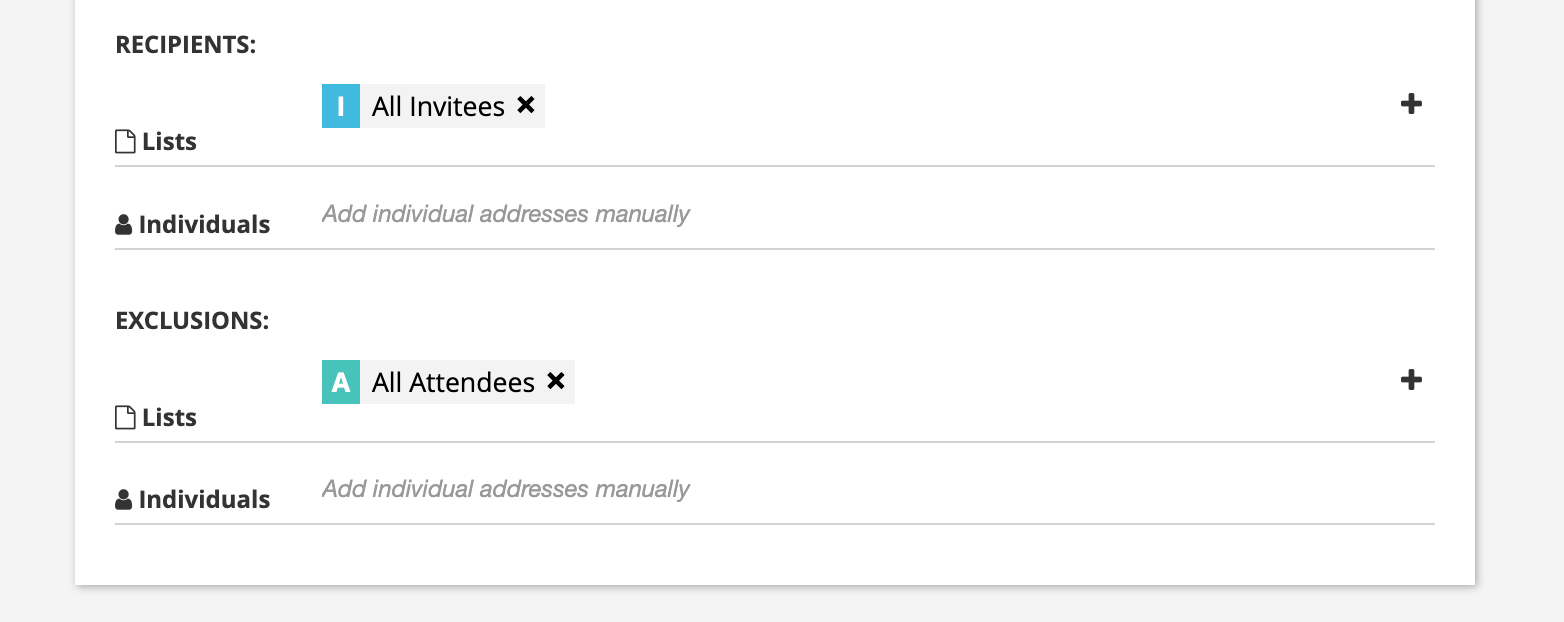
You can send a campaign to all invitees while excluding those who have already registered.
Steps:
- Create or open your campaign.
- Select All Invitees as the recipient list.
- Under Exclusions, select Registered Attendees.
- Proceed with your campaign setup and send the email.
This ensures the campaign is targeted at invitees who have not yet registered, without sending reminders to those who have already signed up.
B. Identify Invitees Who Have Not Yet Registered and Send Emai from Invitee Grid
You can also create a dedicated Smart List of nvitees who have not registered, allowing you to use the list for follow-up campaigns or future communication.
Steps:
- Navigate to the Invitees grid and open the All Invitees list.
- Locate the Linked Attendees field.
- Apply the filter equal to 0.
- Click Save search as smart list.
- Name and save your Smart List.
Your saved Smart List will contain invitees who have no linked attendee records, helping you identify those who have not yet registered.
You now can select ALL records in your newly created Smart List and send the Reminder Email.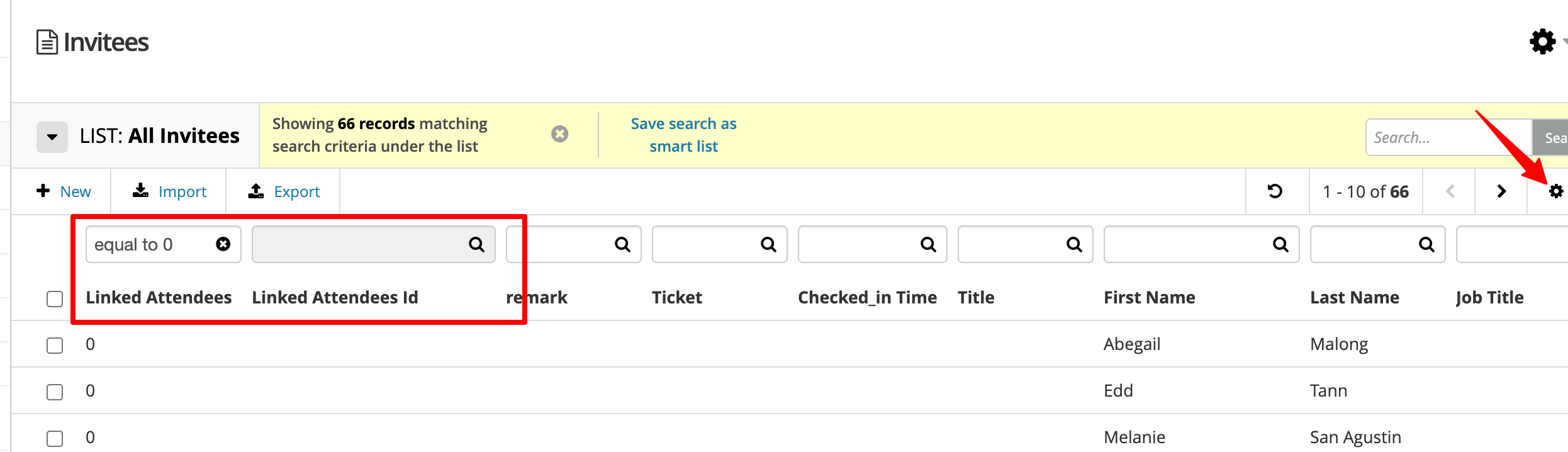
Ready to Try?
Start using these options to streamline your event follow-up campaigns and engage invitees who have yet to register.
If you have any questions or need assistance, please reach out to our Support Team at cs@gevme.com.